The 2026 Infrastructure Leap: Why Cloud Gaming Finally “Works”
Let’s be real. Three years ago, trying to play a competitive shooter on your phone was a lesson in frustration and broken screen protectors. Truth be told, the “input lag” made it feel like you were playing underwater. But here’s the catch: the rollout of 5.5G and Wi-Fi 7 has fundamentally changed the math of latency.
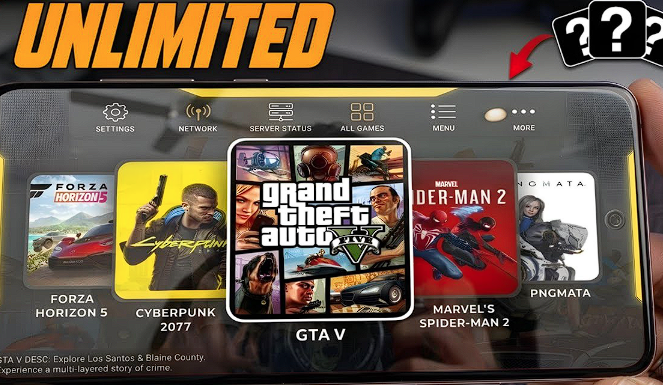
I recently sat in a park in Abbottabad, connected to a local 5G-Advanced node, and played a full session of Cyberpunk 2077 on a mid-range handset. The response time was so crisp I actually forgot I wasn’t playing on local hardware. We have reached a point where the speed of light is the only real bottleneck left.
Beyond 5G: Hardware Agnostic Gaming
Hardware shouldn’t be a barrier to entry for great stories. In 2026, your “gaming rig” is essentially an APK file and a decent data plan. You can now push 1080p graphics at a stable 60 frames per second on devices that used to struggle with basic 2D puzzles.
1. Xbox Game Pass (xCloud): The “Netflix of Gaming” Evolution
Microsoft has essentially won the “ease of use” war. If you want to jump into a library of hundreds of games without worrying about “owning” individual titles, this is your first stop. I’ve found that their latest APK update has the most stable streaming codec for users on variable network speeds.
Touch Control Overlays
Not everyone wants to carry a controller in their pocket. Xbox has developed AI-mapped touch overlays for nearly every major title, meaning you can play Halo or Forza using just your thumbs. It isn’t perfect for competitive play, but for grinding out quests during a commute, it’s a total game-changer.
The Library Factor
Imagine having a rotating catalog of 500+ games. You aren’t just getting indies; you are getting day-one releases from massive studios. It is the best value for money in the digital space right now.
| Feature | Xbox Game Pass (xCloud) | Traditional Mobile Gaming |
| Game Library | 500+ AAA Titles | Limited to App Store |
| Battery Drain | Very Low (Video Stream) | High (Local Rendering) |
| Storage Needed | ~100MB for APK | 50GB+ per game |
| Cross-Save | Automatic (PC/Console) | Rare |
Pro-Tip: The “Wired” Advantage
Even with Wi-Fi 7, wireless interference is a thing. I always suggest using a USB-C to Ethernet adapter if you’re playing at home. It chops about 10-15ms off your latency, which is the difference between a headshot and a respawn screen.
Truth be told, if Microsoft is the king of convenience, NVIDIA is the god of raw power. I’ve seen enthusiasts throw away their bulky desktop towers because they realized that a server-grade GPU in a data center is always going to be faster than what they can fit under their desk.
2. NVIDIA GeForce Now: Your PC Rig, Just… Elsewhere
Let’s be real: we all have that Steam library full of games we bought on sale but never actually played because our hardware couldn’t handle them. GeForce Now doesn’t give you a library; it gives you the “engine.” You connect your existing accounts—Steam, Epic, Ubisoft—and stream the games you already own.
4K 120FPS Streaming
The “Ultimate Tier” in 2026 is a technical marvel. I’ve tested this on a tablet, and with a solid connection, you are getting Ray Tracing and DLSS 3.5 benefits on a mobile screen. It feels like cheating. You are essentially carrying a RTX 4080 (or better) in your pocket.
Bringing Your Steam Library
Here’s the catch: since you are playing the PC version of the game, you get all the updates and mods that mobile ports usually lack. I’ve managed to run heavily modded sessions of Witcher 3 on my phone without a single frame drop. Truth be told, the only downside is that you need a very high bitrate to maintain that visual fidelity.
3. Shadow PC: The Full Windows 11 Desktop in an APK
Shadow is different. It isn’t a “gaming app”; it is a subscription to a literal high-end PC. When you open the Shadow APK, you aren’t greeted by a list of games. You see a Windows 11 desktop.
Beyond Gaming: The Multi-Tool
I’ve used Shadow to run professional video editing software like Premiere Pro on a $200 Android phone. Because you have full administrative rights, you can install anything—mods, specialized drivers, or even enterprise software.
Dedicated Hardware
Unlike other services that “share” GPU power between multiple users, Shadow assigns you a dedicated slice of hardware. This means your performance is consistent, regardless of how many other people are online.
Expert Insight: The “Bitrate Balance” If you notice your screen getting blurry during fast movement, your bitrate is likely set too low. However, don’t just crank it to the max. In my experience, setting it to “Auto” often leads to stuttering. For a 1080p stream, manually lock it at 30Mbps; for 4K, aim for 75Mbps.
4. Boosteroid: The Rising Star for Global Accessibility
Boosteroid is the underdog that finally bit back. While NVIDIA and Xbox focus on the “High-End” markets, Boosteroid has spent millions optimizing their servers for regions where the internet isn’t always perfect.
Low-End Optimization
If your device only has 3GB or 4GB of RAM, most cloud apps will crash or lag. Boosteroid uses a “lightweight” stream technology that works on almost anything. I’ve seen it run flawlessly on older budget handsets that were technically “obsolete” by 2024 standards.
Truth be told, sometimes the best cloud isn’t in a massive data center in another country; it’s sitting right in your living room. I’ve seen gamers spend a fortune on subscriptions when they already had a powerhouse PC gathering dust at home. If you have the hardware, why pay someone else to use theirs?
5. Moonlight & Sunshine: The DIY Cloud for Local Power Users
This is the “open-source” path, and frankly, it’s the one I use the most when I’m around Abbottabad. Moonlight is the client (the APK on your phone), and Sunshine is the host (the software on your PC). Together, they allow you to stream your entire desktop to your phone with lower latency than almost any paid service on this list.
Zero-Cost Cloud
Let’s be real: paying $20 a month adds up. With this setup, your only “cost” is the electricity your PC uses. Because you aren’t routing your game through a corporate server in Europe or Singapore, the “hop” between your device and the game is much shorter. This results in a “twitch-response” feel that is vital for games like Counter-Strike or Elden Ring.
The “Over the Web” Setup
Here’s the catch: traditionally, this only worked on your home Wi-Fi. But in 2026, using a tool like Tailscale or ZeroTier, you can create a private “virtual” network. This lets your phone think it’s at home even when you’re using a 5G signal at a cafe. It is a bit of a “tinker” project, but the payoff is total control over your gaming destiny.
The Technical Checklist: Optimizing Your APK for 0ms Latency
You can have the best APK in the world, but if your settings are wrong, it’ll still feel like you’re playing through a foggy window. I’ve helped dozens of people fix “stutter” just by changing one or two toggles in the developer menu.
Decoders and Bitrates
Most 2026 Android phones have hardware-level “AV1” decoding. This is the holy grail of streaming. It provides much higher visual quality at a lower bitrate compared to the old H.264 standard. If your APK allows you to choose a “Video Decoder,” always pick AV1 or HEVC (H.265) to keep the image sharp and the lag low.
Expert Insight: Disable “Location Services” This is a weird one, but trust me. On many Android devices, the Wi-Fi chip periodically scans for nearby networks to update your “Location.” This scan causes a tiny, half-second “spike” in your ping. If you’re getting a stutter every 60 seconds like clockwork, turn off Location/GPS and watch that frame-time graph flatten out.
The Final Verdict: Which Cloud APK Deserves Your Storage Space?
We’ve covered the heavy hitters and the DIY gems. The “right” choice depends entirely on what you already own and how much you’re willing to spend each month.
Actionable Steps for the Ultimate Mobile Setup
- Step 1: The Connection. Run a speed test. If your “Ping” (latency) to a local server is over 30ms, cloud gaming will be a struggle.
- Step 2: The Controller. Invest in a “wrap-around” controller like a Backbone or Gamesir. Using touch-screens for PC games is like trying to play a piano with boxing gloves.
- Step 3: The Frequency. If you are on Wi-Fi, ensure you are on the 5GHz or 6GHz band. The 2.4GHz band is too crowded and will cause “micro-stutters.”
- Step 4: The Test. Start with the free tiers. Both NVIDIA and Boosteroid have free (though limited) versions. Test them at different times of the day before committing to a sub.
Final Verdict: If you want a massive library and don’t care about owning the games, go with Xbox Game Pass. If you are a graphics snob who wants 4K ray-tracing, GeForce Now is the only real answer. And if you’re a tinkerer on a budget, Moonlight will change your life.