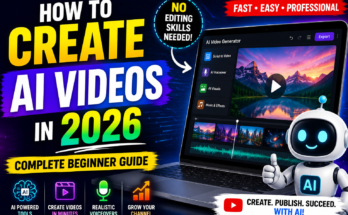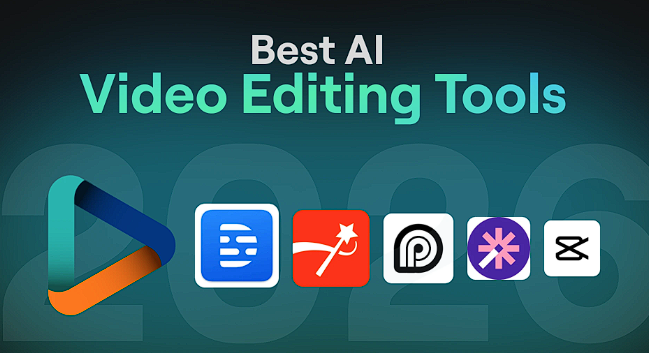
The Generative Shift: Why Traditional Mobile Editors Are Becoming Obsolete
Let’s be real: we’ve all spent hours trying to mask out a background or fix a shaky shot only to end up with something that looks “mobile-made.” The new wave of AI-driven editors has flipped the script. Instead of you telling the app what to do, the app analyzes the data—identifying faces, detecting speech, and understanding the emotional “energy” of a clip—to suggest edits that used to require a dedicated desktop workstation.
From Manual Trimming to AI Scene Detection
I remember the headache of sifting through thirty minutes of raw footage just to find three usable clips. In 2026, AI scene detection does this in seconds. It scans for “high-interest” moments—smiles, action shots, or clear dialogue—and highlights them on your timeline automatically.
The “One-Tap” Aesthetic
Here’s the catch: anyone can apply a filter, but AI color grading actually mimics the lighting of big-budget cinema. It doesn’t just slap a blue tint on everything; it identifies skin tones and ensures they stay natural while the background gets that “teal and orange” Hollywood look.
1. CapCut: The King of AI-Driven Social Templates
If you’re making content for TikTok or Reels, CapCut is essentially your unfair advantage. It has transitioned from a simple editor into a generative powerhouse. I’ve seen creators build entire channels using nothing but their AI “Auto-Cut” feature, which takes a bunch of random clips and assembles a trend-ready video in about five seconds.
Auto-Captions and AI Dubbing
Language is no longer a barrier. Their 2026 AI dubbing tool can take your voice, translate it into Spanish or Japanese, and—this is the wild part—keep your original tone and inflection. It even uses AI to sync the lip movements of the person on screen to the new language.
AI Image-to-Video
I’ve used this when I’m short on footage. If you have a static photo of a landscape, CapCut’s generative engine can turn it into a moving shot by “filling in” the missing frames. It creates a subtle parallax effect that looks like you shot it with a high-end gimbal.
| Feature | CapCut AI | Traditional Mobile Editor |
| Subtitle Gen | Instant (99% Accuracy) | Manual Typing |
| Background Removal | One-Tap AI Masking | Tedious Frame-by-Frame |
| Music Sync | Auto-Beats Detection | Manual Trimming |
| Voiceover | AI Clone/Dubbing | Standard Recording |
Pro-Tip: The “Smart Overlay” Hack
Use the AI “Remove Background” feature on a second layer to sandwich text behind your subject. It gives your video an instant high-production feel without needing a green screen or complex masking.
Truth be told, once you move past the template-heavy world of social apps, you start looking for precision. I’ve seen creators get frustrated because their “AI” editor made choices they didn’t agree with. In 2026, the best APKs find that sweet spot: giving you the horsepower of an algorithm without taking your hands off the steering wheel.
2. LumaFusion with AI Assist: The Mobile Desktop Replacement
If you’ve ever felt limited by a single track, LumaFusion is your escape hatch. It is widely considered the gold standard for a reason. While it was once a purely manual “Pro” tool, the 2026 updates have integrated an “AI Assist” layer that handles the tedious work of professional editing—like audio leveling and stabilization—while leaving the creative cuts to you.
Intelligent Audio Ducking
There is nothing worse than music that drowns out your voice. LumaFusion’s AI Audio Ducking “listens” to your dialogue track and automatically lowers the background music volume exactly when you speak. Truth be told, it’s smoother than anything I’ve ever done manually with keyframes.
AI Tracking & Stabilization
I once tried to edit a vlog shot while walking through a crowded market in Abbottabad, and the footage was a shaky mess. LumaFusion’s AI stabilization analyzes the frame and crops in just enough to cancel out the jitter without that weird “warping” effect you see in cheaper apps.
3. VideoLeap: The Creative Playground for Generative Effects
Here’s the catch: sometimes you don’t want a “better” version of reality—you want a different reality entirely. VideoLeap is the leader in “Generative Effects.” They’ve integrated AI models that can transform your entire video style with a single tap.
AI Scenes: Transforming Reality
Imagine taking a video of your backyard and turning it into a cyberpunk city or a Studio Ghibli-style animation. VideoLeap’s “AI Scenes” feature does exactly that. It maintains your movement and composition but replaces the textures and lighting with entirely new, AI-generated art styles.
Text-to-Video Integration
In my latest review, I was impressed by their built-in generative asset creator. If you need a clip of “snow falling over a forest” to transition between scenes but don’t have the footage, you can literally type it in, and the AI generates a unique, royalty-free clip right into your timeline.
Pro-Tip: The “Vanish” Technique VideoLeap has an incredibly powerful AI Object Remover. If a stranger walks through your perfect shot, just circle them with your finger. The AI will “paint” them out by looking at the surrounding pixels, making it look like they were never there.
4. Wink: The AI Beauty and Retouching Specialist
Let’s be real: we all want to look our best on camera, especially when the lighting isn’t perfect. Wink has carved out a niche as the ultimate “Beauty AI.” It’s not just about filters; it’s about high-end digital retouching that follows your face and body perfectly in 3D space.
AI Body and Face Reshaping
This is the tech that used to be reserved for high-end fashion commercials. Wink allows you to adjust facial features or skin textures frame-by-frame using AI that understands the geometry of your face.
Resolution Restoration: The 4K Upscaler
This is my favorite feature. If you have an old, blurry video from 2018, Wink’s AI Repair can upscale it to 4K. It doesn’t just “blow up” the image; it actually “guesses” the missing detail, sharpening edges and removing digital noise until it looks like it was shot on a modern sensor.
Truth be told, once you’ve mastered the flashy effects, you’ll realize that the real bottleneck in content creation isn’t the visuals—it’s the time spent hunting for the right music and cutting out backgrounds. That brings us to the final heavy hitter that has mastered the “utility” side of the AI revolution.
5. InShot AI: The Fastest Workflow for Daily Creators
If you are a solo creator or a business owner in Abbottabad trying to push out three videos a day, you don’t have time to mess with 3D layers. You need speed. InShot has always been the “reliable” choice, but its 2026 AI infusion has made it a speed-demon. It focuses on removing the friction of the “boring” parts of editing.
Smart Cutout: Goodbye Green Screen
I remember the days when you needed a perfectly lit green screen to remove a background. Not anymore. InShot’s “Smart Cutout” uses a neural engine to isolate any subject—human, pet, or product—with a single tap. It is surprisingly accurate, even with tricky details like hair or translucent glass.
AI-Powered Music Generation
Here’s the catch: the “Copyright Claim” is the nightmare of every creator. InShot now includes a built-in AI music composer. You simply select a mood (e.g., “Gritty,” “Inspiring,” or “Upbeat”) and a duration, and the app generates a unique, royalty-free track that perfectly matches the rhythm of your cuts.
Expert Insight: The “Auto-Vibe” Sync
InShot’s latest “Sync to Beat” feature doesn’t just look at the audio peaks. It uses AI to analyze the tempo and automatically snaps your transitions to the most impactful moments in the music. It’s the fastest way to get that “professional editor” rhythm without actually knowing how to read a waveform.
Reference for further reading: InShot’s official guide on AI editing tools
The Final Verdict: Which AI Editor Fits Your Content Style?
We’ve analyzed the giants, but the “best” APK is the one that actually gets your video finished. In 2026, the choice comes down to your specific niche.
Which One Should You Download?
| Your Creator Type | Best APK Choice | Key AI Reason |
| Social Media Influencer | CapCut | Trend-ready templates & AI Dubbing. |
| Professional Vlogger | LumaFusion | Desktop-grade stabilization & ducking. |
| Visual Artist/VFX | VideoLeap | Generative scene transformations. |
| Lifestyle/Beauty | Wink | High-end 4K upscaling & retouching. |
| Small Business Owner | InShot | One-tap cutouts & AI music gen. |
Actionable Steps for AI Editing Mastery
- Step 1: Start with the Raw. Feed the AI high-quality footage. Even the best upscaler works better when the original lighting is decent.
- Step 2: Use the “Auto” as a Draft. Let the AI do the first pass, then go in manually to tweak the timing. The human touch is still the “secret sauce.”
- Step 3: Watch Your Storage. AI models and 4K exports are heavy. Always clear your “Cache” within the app settings after finishing a project.
- Step 4: Check the Licensing. If you use “Text-to-Video” or “AI Music,” double-check the app’s terms for commercial use if you are running ads.